I recently started using wofi to automate some stuff on my system1 nothing that’ll be that interesting but it’s not about making something other people use, it’s about making something that stops you from having to do something. You can decrease the amount of work required for a given result - anything on a computer, anything that can be done by a computer can be automated it’s just a matter of if you’re smart enough to automate it.
Luckily for me linux makes automation easy since by just using linux you’ll gradually learn bash the scripting language the terminal uses - wofi is a wayland/gnome friendly alternative to dmenu. I have a simple launcher script I activate with a keybinding.
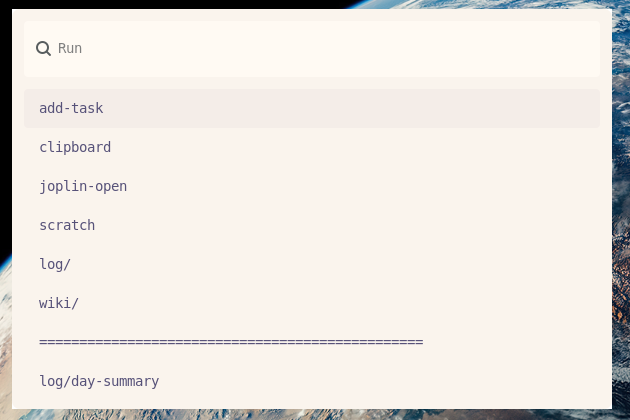
Anything I want to automate on my system I just put into ~/wofi/ subfolders automatically organise as such - not all of my scripts save a lot of time, add task is just an automation stopping me from needing to launch a terminal, open joplin, add a todo to joplin then sync it - not an insane time save but little things add up and it just makes me less and less annoyed over time. In my view the upside of automation is you can pick anything that either (1) you view as a waste of time/energy or (2) annoys you. Then you can correct it. If you can do it from a script or CLI you can automate it with very little effort, then wofi works as a nice wrapper for quickly and interactively launching/using them, it can pop up and ask you questions, it can show you search results etc etc.
Each time I use my automation I feel good because I’m not being annoyed by a process I don’t enjoy doing. You should automate your workflows, start small a basic script to do something for you then build upon it until you can do basically anything with just a keybinding, in the exact way you want to. I’ll share some of my automations below and all my actual code is in my wofi repo.
- Updating all the stats on my website
- add a todo to joplin
- add a quick note to a local file scratch.md
- add fatebook predictions
- resolve fatebook predictions
- search joplin notes (then open)
- mark todos as done in joplin
- interactive questions to log books I’ve read in a csv file
- view and search my clipboard history
- search through my screenshot folder then open the image in satty (a lightweight image editor)
- search my local wiki
- make new pages in my local wiki
Nothing incredible or life changing but stuff that used to take multiple steps and commands but is now two keypresses.